How To Design Clothes In Blender?
The process of designing clothes with Blender is done by using 3D solid modeling as well as a tool for sculpting. Start by creating a 3-D model of the persona who will wear the clothing. Blender can either create a built-in human model or import one. After that, you can utilize an option to simulate the cloth and the fabric over the model. Modify the parameters to get the desired shape and fit of the garment.
For more complex designs, Blender’s tools for sculpting add details and refine the design. Think about using textures and materials to give realistic patterns and realism to the clothes.
Additionally, you can position the model to determine how clothes react when placed in different ways. Through practice and imagination, Blender offers a versatile platform to create and visualize different clothing styles in a 3D space.
You Can Create Clothes Using Blender
The last time around, Jan demonstrated a very easy method to create a mesh for clothes using Blender’s essential modeling tools. Jan showed the technique of drawing a clothing item directly onto the character and demonstrated how to separate it from its person, add details with various modifiers, and much more.
Cloth Simulation in Blender
Blender’s cloth simulation software lets users create realistic clothing behaviors and animations that can be used for various kinds of clothing. With the help of cloth simulations, it is possible to develop cloth items that drape, fold, and interact with objects and other things realistically.
To simulate cloth in Blender, Follow these steps:
- Modeling: Firstly, you’ll be required to create a 3D model of the garment you want to replicate. It involves shaping the clothing by using the standard modeling tools in Blender.
- Cloth Physics: After completing your clothing model, you can activate the simulation of physics in cloth for the model. This can be accomplished by selecting the mesh for your clothing and then enabling the “Cloth” physics option in the Properties panel.
- Configuring Collision Objects: To recreate the realistic behavior of cloth, You may have to include collision objects that engage with the fabric. In the case of a clothing item worn by a person, it is necessary to add a collision to the character’s body to ensure that the cloth interacts appropriately with the body.
- Adjusting the Cloth Settings: Blender has a range of cloth simulation settings that permit you to regulate the stiffness, thickness, and other physical characteristics. You can adjust these settings to create the desired behavior of your cloth.
- When you’ve completed the simulation, everything is set up: You can simulate a cloth to observe how the product behaves. Modifying the settings and simulating until you reach the desired outcome is possible.
Cloth Modeling in Blender
In addition to the cloth simulation, Blender offers cloth modeling tools that allow users to design clothes from scratch. Using conventional modeling techniques, creating and shaping the clothing object directly within Blender is possible, as you would with every 3D thing.
Blender allows you to model clothes. You are in complete control over the appearance and style of the product. It is possible to create intricate folds, intricate details, and seams that make clothing look more natural and visually appealing.
Is Blender Exclusively Designed For 3d?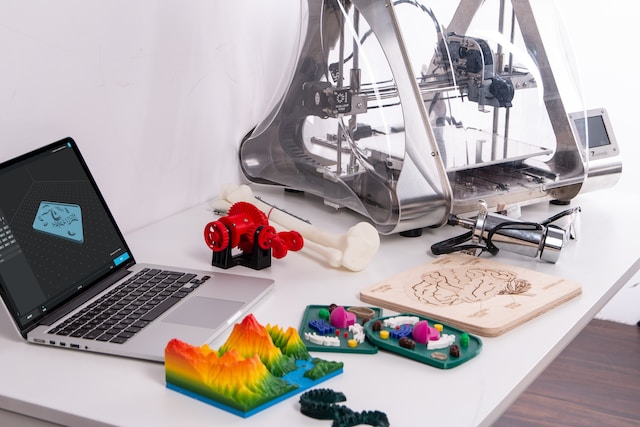
It can create anything from animated movies to 3D-printed models, virtual reality video effects, motion graphics, interactive 3D applications, and even games.
Blender’s versatility is among its strengths, making it a preferred choice among animators, designers, artists, and even enthusiasts. Here are a few significant attributes and abilities of Blender:
3D Modeling and Sculpting
Blender’s primary function lies in 3D modeling and sculpting. This allows users to design and create 3D objects such as characters, scenes, etc.
Animation and Rigging
Blender is a powerful tool for animation that allows for intricate character animations as well as the ability to rig systems that determine the character’s movements.
VFX and Rendering
Blender is an expert in the creation of visual effects as well as rendering high-quality 3D scenes, which makes it suitable for still images as well as animation projects.
Video Editing
Blender is a fully-featured video editor that allows users to edit their videos, apply effects, and create captivating visual content.
Cloth Simulation
As mentioned, Blender provides cloth simulation tools that let users create realistic clothing behaviors or animations of clothing objects.
Game Development
Blender allows game development by allowing players to design 3D assets and export them to various game engines.
Motion Tracking
Blender has motion tracking features that allow users to seamlessly integrate 3D objects into live footage.
Python Scripting
Blender’s open-source nature permits users to enhance its functionality using Python scripting, making it highly adaptable to particular requirements.
What’s Better? Maya And Blender?
If you’re an enthusiast, student, or working in a small studio, Blender is advantageous because it’s free and offers a wide range of tools for different applications. If you plan to stay in the gaming and special effects areas or work for large companies, Maya is the industry standard for 3D modeling.
Maya: Features and Benefits
Autodesk Maya is a widely employed professional 3D software used by numerous studios and artists in visual effects, animation, and gaming. Here are a few of the most essential features and advantages of Maya:
- Ability to animate: Maya is renowned for its sophisticated animation tools, making it an excellent option for character rigging and complex animation tasks.
- Industry Integration: Many production houses and studios utilize Maya as their principal 3D software, making it a standard within the field.
- The community is large, and the support is available: Maya has a large user base, meaning many online materials, tutorials, and help options are available.
- Add-ons and Plug-ins: Maya supports various third-party plug-ins and add-ons that expand its capabilities to perform specific tasks.
Blender: Features and Benefits
Blender, On the other hand, is a free and open-source 3D design suite that has been gaining a lot of popularity due to its flexibility and accessibility. Here are a few of the significant features and advantages of Blender:
- Price: Blender is free to download and install and is an excellent alternative for artists with budgets or those who wish to experience 3D without the financial burden.
- Blender’s open-source nature creates a community that continuously contributes to its growth and enhancement.
- Full-fledged 3D suite: Blender offers an entire 3D suite that incorporates rendering, animation, modeling, video editing, and much more, which makes it a complete suite.
- Blender’s Cloth Simulation tool provides the most robust tools for cloth simulation that allow users to design realistic cloth behaviors for clothing and other textiles.
Does It Take A Lot Of Effort To Master Blender?
Blender 3D is a robust and versatile program for creating 3D models, animations, and rendering. It can, however, be difficult for newcomers to master because of its lengthy learning curve and intricate interface. But, with patience and practice, it will become easier to master.
Ease Of Learning Blender
Blender’s user interface has been dramatically improved through the years and has been created to be user-friendly and easy to use. Newbies who are new to 3D applications could require some time to become familiar with the different options and tools.
Here are a few factors that aid in the ease of learning to use Blender:
- Educational Resources: Blender boasts a vast and vibrant community that, at its own pace, creates abundant learning resources such as tutorials, documentation, and forums. These tools can help novices get started and develop at their own pace.
- Tutorials and Courses: Many websites offer Blender tutorials and classes designed for beginners. These step-by-step guides can aid in learning and are more streamlined.
- Its nature encourages experimentation and customization: This could be both a plus and an obstacle for newbies since it provides a wide range of options; however, locating the appropriate software and processes can take more effort.
- Experiential Experience: If you’ve had previous Experience using other 3D software, certain principles and concepts may be transferred across, which makes it easier to adjust to Blender. For beginners, however, people with no previous 3D experience can master Blender efficiently through hard work and repetition.
FAQ’s
What version of Blender do I need to design clothes?
You can use Blender 2.8 or any later version to design clothes. These versions come with a user-friendly interface and improved tools for creating and modifying clothing meshes.
How can I start designing clothes in Blender as a beginner?
To begin, familiarize yourself with Blender’s basic controls and navigation. Then, learn about mesh modeling techniques, including extrusion, scaling, and loop cuts. Once you have a grasp of these fundamentals, you can move on to designing clothes using simple shapes and gradually progress to more complex garments.
Is it possible to create realistic fabric textures in Blender for my clothes?
Absolutely! Blender offers various material options to simulate realistic fabric textures. By using the Principled BSDF shader, you can adjust parameters like roughness, subsurface scattering, and normal maps to achieve lifelike fabric appearances.
Can I simulate clothing movement in Blender?
Yes, Blender has a powerful cloth simulation system. By enabling cloth physics on your clothing mesh, you can see how it reacts to different forces and movements. This feature allows you to create animations with dynamic and realistic clothing motion.
How do I create patterns or designs on my clothes in Blender?
You can add patterns and designs to your clothes in several ways. One common method is to use texture painting to apply designs directly onto the clothing mesh. Additionally, you can create image textures in external software and import them into Blender to customize your garments further.
Can I fit my clothing designs to different characters in Blender?
Yes, Blender offers rigging and weight painting tools that allow you to fit your clothing designs to different characters with ease. By assigning appropriate weights to the vertices of your clothing mesh, it will deform naturally with the character’s movements, providing a more realistic look during animations.